Essential 8 Knowledge Base Is Coming to iPhone

Essential 8 Knowledge Base is heading for iPhone.
It is a small, offline reference app for Australian sysadmins working through ASD Essential Eight uplift in Windows environments. Not a governance platform. Not a dashboard pretending that a maturity model becomes implementation because someone added traffic lights to a spreadsheet. Just a practical phone-sized reference for the people standing next to a console, checking a policy path, and trying to turn control language into actual configuration.
The app should be launching soon, pending the usual App Store review path.
Why build this
Essential Eight uplift is valuable, especially in environments with sensitive data, hybrid identity, shared infrastructure, legacy applications, and operational systems that cannot be casually broken for the sake of a cleaner audit finding.
The awkward part is that the work often lands on sysadmins as a maturity target, a control statement, and a request to “just make it compliant”.
That is not how Windows hardening works.
Someone still has to translate the control into Group Policy, registry values, PowerShell, Microsoft Defender settings, AppLocker, WDAC, Windows Update for Business, backup configuration, privilege controls, logging, rollout rings, testing, exceptions, and rollback plans.
Frameworks are useful. They give everyone a common language. But the last metre is still technical, and the last metre is where production tends to have opinions.
What the app does
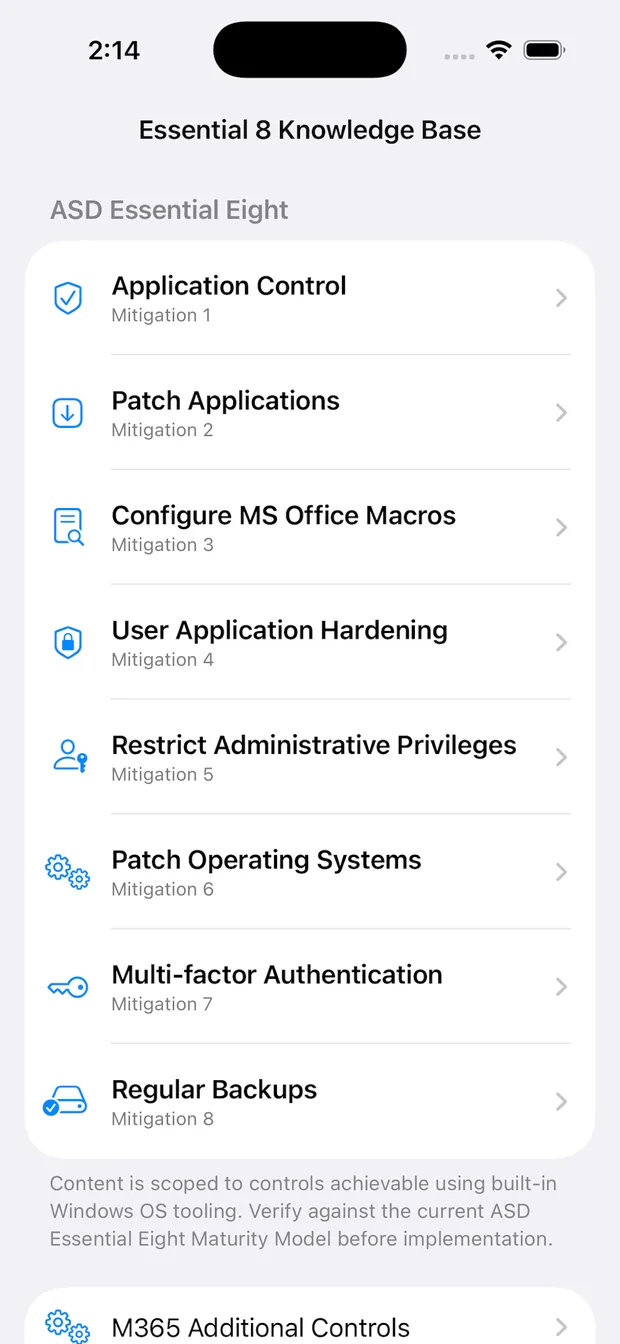
Open the app, pick one of the eight Essential Eight mitigations, choose a maturity level, and read the implementation notes for that level.
The app covers:
- Application Control
- Patch Applications
- Configure Microsoft Office Macros
- User Application Hardening
- Restrict Administrative Privileges
- Patch Operating Systems
- Multi-factor Authentication
- Regular Backups
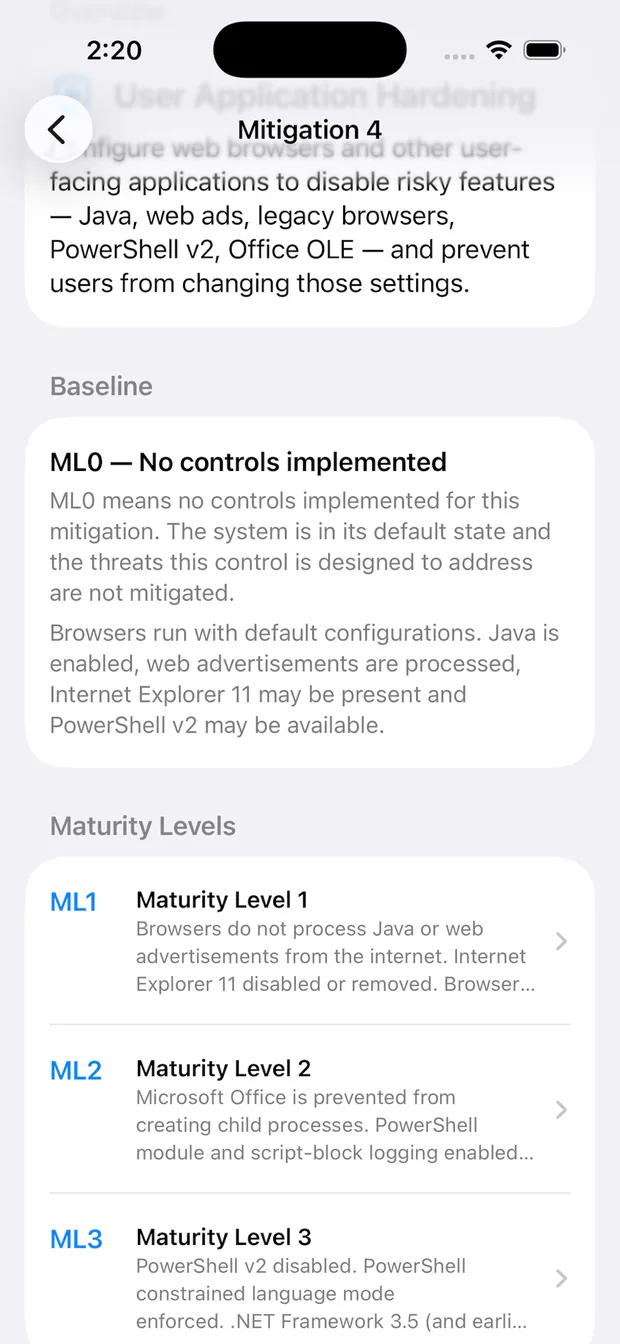
Each control includes an ML0 baseline description, so the unmitigated state is visible before jumping into ML1, ML2, and ML3. That matters because uplift work is easier to sequence when people can see the gap, not just the target.
Built for implementation notes, not bedtime reading
The app is designed to be used while doing the work, not studied like a training manual.
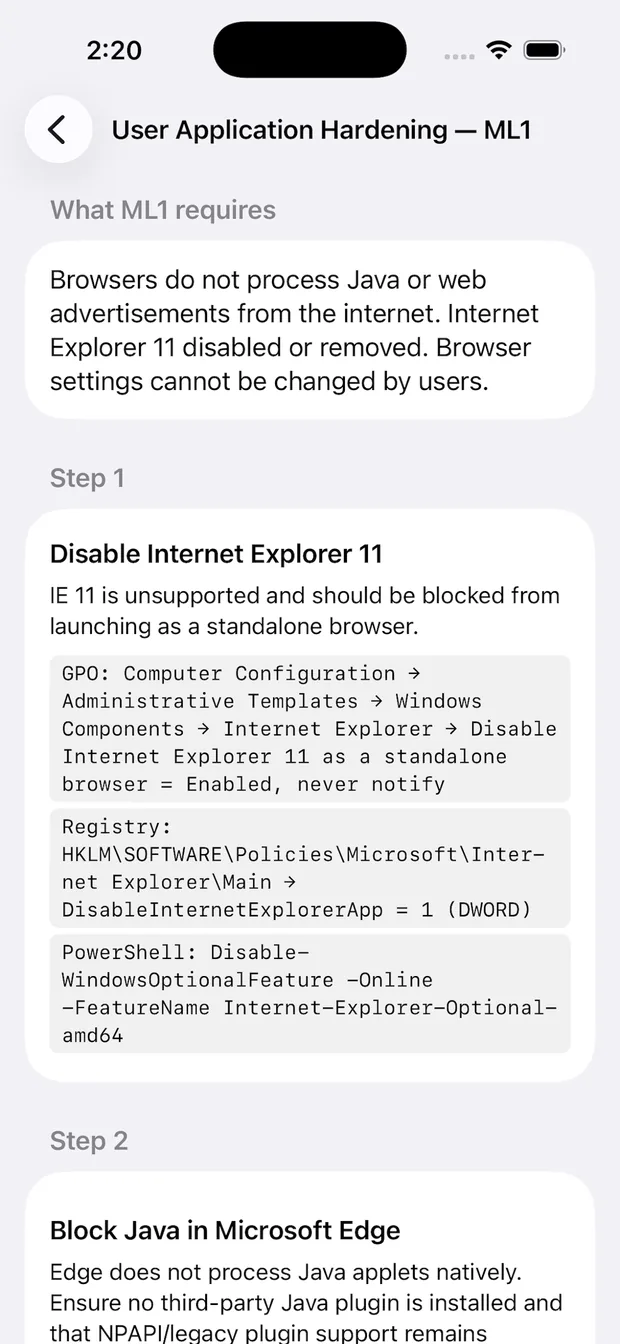
The maturity-level screens focus on concrete implementation details: Group Policy paths, registry keys, PowerShell commands, Windows feature names, and the Windows controls that usually need to be checked before a change makes it anywhere near production.
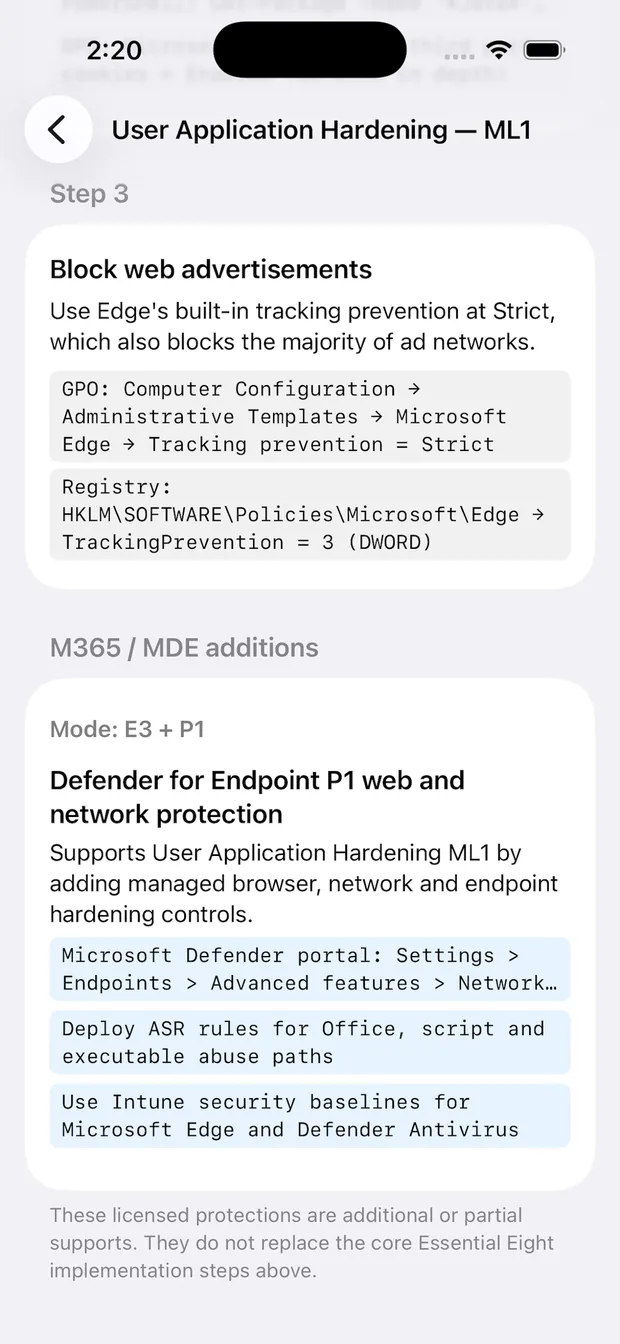
For example, User Application Hardening does not just say “harden browsers”. It steps through items such as disabling Internet Explorer 11, controlling risky browser behaviour, blocking web advertisements where practical, and preventing users from changing managed settings.
Some controls are straightforward. Some are not. Application control, Credential Guard, ASR rules, phishing-resistant MFA, backup immutability, and privileged access controls all have operational consequences. The app is intentionally written as a reference, not as a magic button. A magic button for production hardening is usually just an outage with better branding.
Windows first, Microsoft 365 separate
The core content is scoped to what can be achieved with built-in Windows OS tooling where possible. That includes things such as Group Policy, registry configuration, AppLocker, Windows Defender Application Control, Microsoft Defender configuration, ASR rules, Windows Update for Business, Windows LAPS, Windows Hello for Business, Windows Server Backup, ReFS, Credential Guard, wbadmin, icacls, and vssadmin.
Where a maturity level needs capability beyond built-in Windows tooling, the app calls that out instead of pretending the gap disappeared.
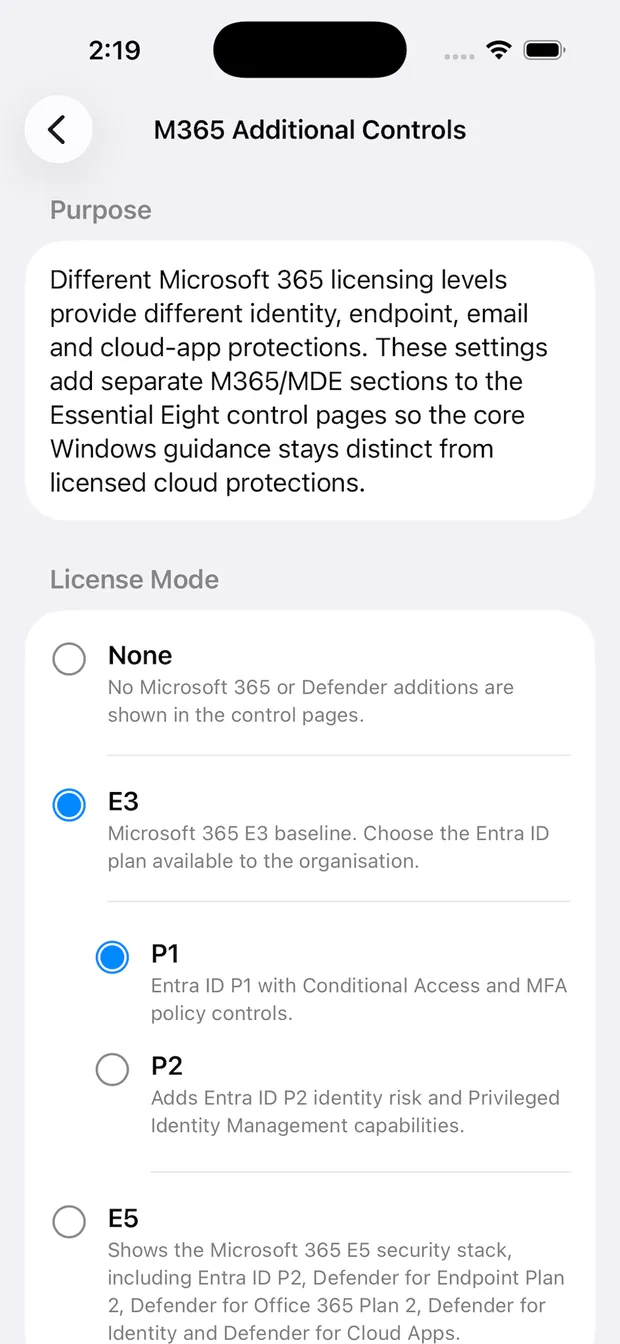
There is also an optional Microsoft 365 Additional Controls mode. This lets you select a Microsoft 365 licensing posture, such as E3 with Entra ID P1, E3 with Entra ID P2, or E5. When enabled, the maturity-level pages can show separate Microsoft 365, Microsoft Defender, and Entra ID additions without mixing them into the base Windows guidance.
That separation is deliberate.
Core implementation guidance should stay distinct from licensed cloud protections. Microsoft 365 and Defender capabilities can be extremely useful, but “we can do this with E5” and “this is built into Windows” are not the same operational statement.
Offline by design
Essential 8 Knowledge Base does not need an account. It does not make network calls. It does not collect analytics. It does not request location, camera, microphone, contacts, photos, or device sensors. It does not collect, record, store, transmit, or share user data.
That is not a grand privacy innovation. It is just the correct shape for this kind of tool.
A phone reference app for cyber security implementation notes does not need to know who you are, where you are, what control you tapped, or which maturity level made you mutter into your coffee.
The selected Microsoft 365 mode is stored locally on the device so the app can show the right optional additions. That is it.
What it is not
This app is not official ASD, ACSC, Apple, or Microsoft guidance. It is not an authority for compliance sign-off. It is not a substitute for reading the current ASD Essential Eight Maturity Model, the Information Security Manual, Microsoft documentation, or your own internal risk and change processes.
It is a reference tool.
That distinction matters. Configuration changes can lock users out, break legacy applications, disrupt clinical or operational workflows, and create a very exciting afternoon for the service desk. Test changes in representative non-production environments. Validate policy behaviour. Confirm rollback paths. Treat exceptions like engineering decisions, not decorative footnotes.
The goal is to make the implementation work easier to navigate, not to remove the need for judgement.
Launching soon
Essential 8 Knowledge Base should be available on the App Store soon.
The first release is intentionally focused: an offline iOS quick-reference for sysadmins implementing the ASD Essential Eight with practical Windows and Microsoft 365 context. If it saves someone from hunting through old notes for a GPO path while an uplift meeting is already running, it is doing its job.
Good security tooling does not always need to be big. Sometimes it just needs to be close to hand, technically useful, and quiet enough to let the people doing the work get on with it.
Your favourite disgruntled sudoer signing off.
- MadDogWarner :D